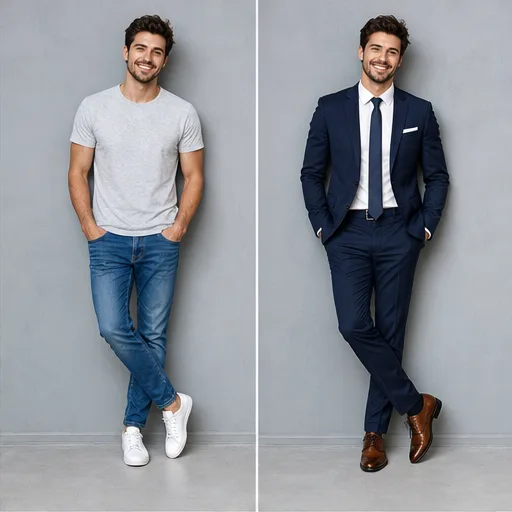
✨ Editing Prompt
AI Outfit Changer
Create a polished image concept for AI Outfit Changer. Describe the subject, composition, style, lighting, camera or framing, key details, and the final visual result.
The created video result will appear here
No generated result yet
Submit a prompt to create a real AI result. Placeholder media is not shown here.
Generated files are displayed only after the provider returns them.
NANO BANANA EXAMPLES
Explore the image tasks people use Nano Banana for most often, from product scenes and portraits to outfit changes, relighting, restoration, and style transfer.
✨ Editing Prompt
Create a polished image concept for AI Outfit Changer. Describe the subject, composition, style, lighting, camera or framing, key details, and the final visual result.
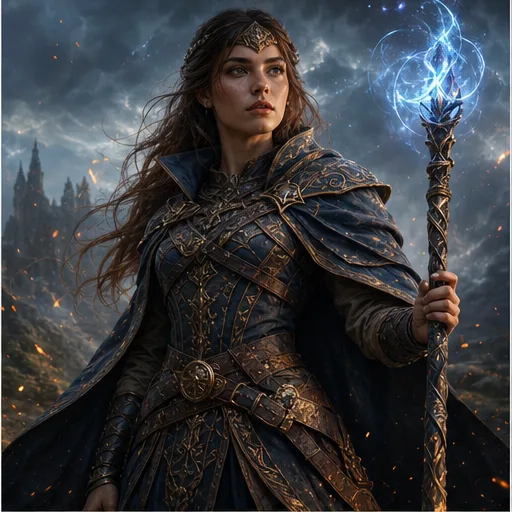
✨ Editing Prompt
Create a polished image concept for Consistent Character Portrait. Describe the subject, composition, style, lighting, camera or framing, key details, and the final visual result.
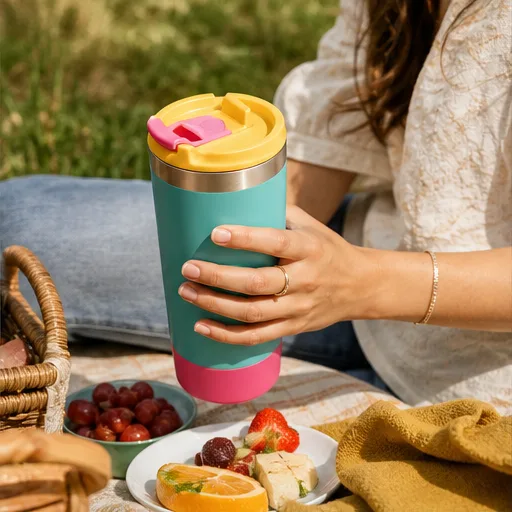
✨ Editing Prompt
Create a polished image concept for AI Product Photography. Describe the subject, composition, style, lighting, camera or framing, key details, and the final visual result.
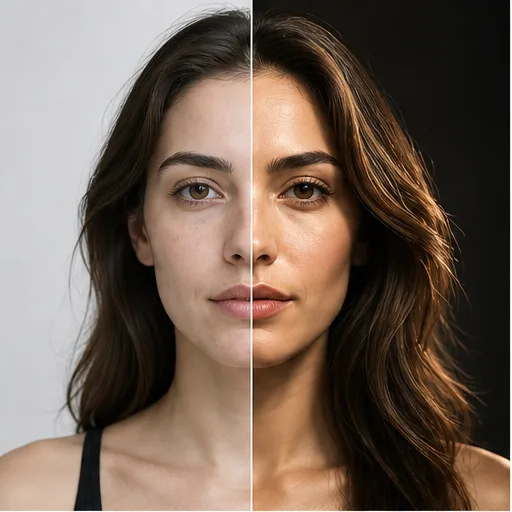
✨ Editing Prompt
Create a polished image concept for AI Photo Relighting. Describe the subject, composition, style, lighting, camera or framing, key details, and the final visual result.
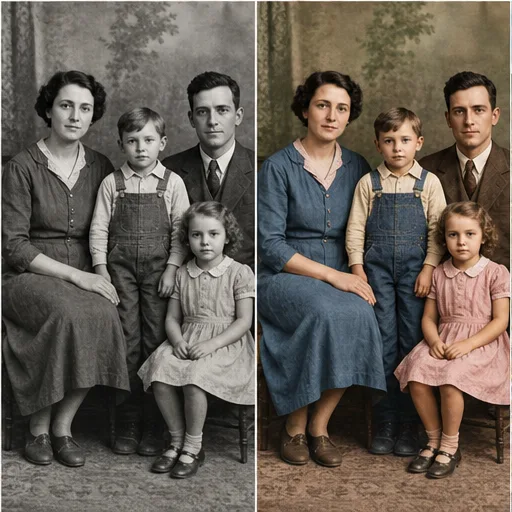
✨ Editing Prompt
Create a polished image concept for Old Photo Colorization. Describe the subject, composition, style, lighting, camera or framing, key details, and the final visual result.
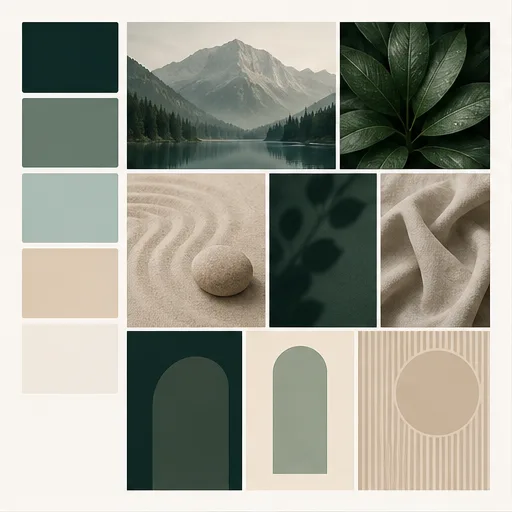
✨ Editing Prompt
Create a polished image concept for Image Style Transfer. Describe the subject, composition, style, lighting, camera or framing, key details, and the final visual result.
Why choose this image generator
Create and edit images with plain-language prompts, reference images, aspect ratio controls, and model switching in one workspace.
Match prompts, ratios, duration, resolution, and reference inputs to the selected model.
Start from a written idea or use a source image when visual consistency matters.
Plan product ads, UGC clips, launch visuals, social posts, and cinematic B-roll.
Refine prompts and settings without jumping between disconnected tools.
Step-by-step guide
Describe the subject, action, scene, style, and details you want Nano Banana to generate or edit.
Add source images when identity, product details, pose, composition, or visual style must stay consistent.
Select the frame shape, style direction, model settings, and number of images for the task.
Compare outputs, keep the strongest result, then refine the prompt or continue into editing tools.
Who Nano Banana is for
Use Nano Banana for consistent image creation, reference-guided editing, product visuals, character design, and fast creative iteration.
01 Outfit change
Change clothing, color, material, and styling while preserving the person, pose, and scene direction.
02 Character design
Create or edit characters while keeping identity, facial structure, outfit, and visual style consistent.
03 Product photo
Place products into clean lifestyle, ecommerce, editorial, or campaign-ready environments.
04 Photo relighting
Shift lighting setups, mood, time of day, and studio ambience from a simple prompt.
05 Photo restoration
Restore, colorize, or clean up old photos while protecting important subject details.
06 Style transfer
Apply a new aesthetic or art direction while keeping the core composition readable.
Creator feedback
The generator is fast enough to test multiple hooks before choosing a final direction.
Prompt examples and model pages make it easier to move from rough idea to campaign-ready video.
References help keep products and styles consistent while exploring new scenes.
Select the ideal package to create stunning videos with Flow Video Generator.
Basic
Perfect for hobbyists and beginners
Everything you need to start:
Enterprise
For teams and businesses
Everything in Professional, plus:
Pro
For creators and professionals
Everything in Basic, plus:
Cancel subscription, please contact the support email: support@flowaivideo.net
AI image questions
Explore more
Create AI videos from text
Turn a written prompt into an AI video clip. Choose a model, aspect ratio, duration, and resolution for social videos, ads, B-roll, and story concepts.
Open generatorAnimate a source image
Upload an image and transform it into a moving AI video while preserving the subject, colors, composition, and brand look.
Open generatorCreate your first result
Open Flow AI Video, add a prompt or reference, choose your model settings, and generate your next AI creative asset.
